

Notarize Individual Central Registry Request
Individual Central Registry Request Information
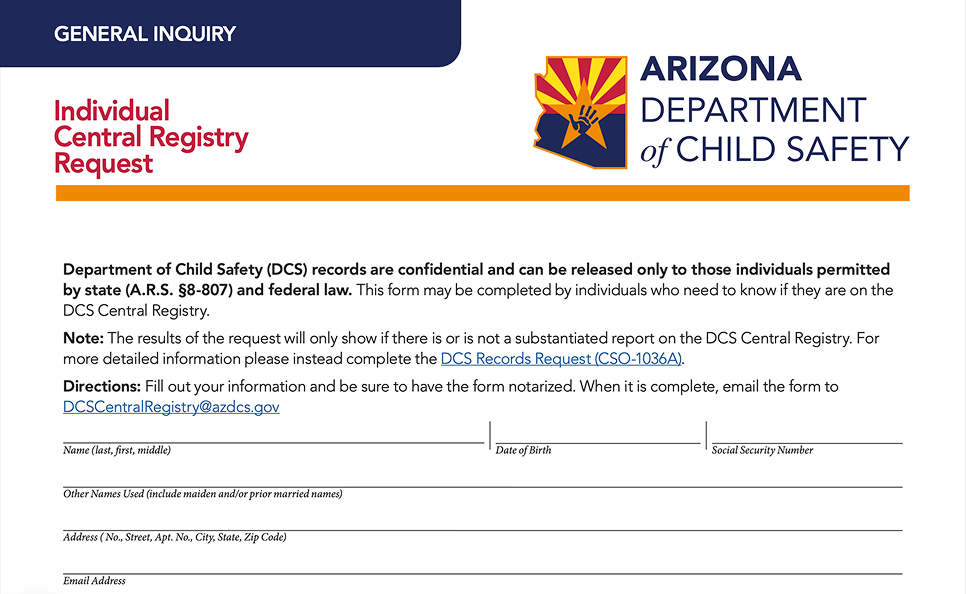
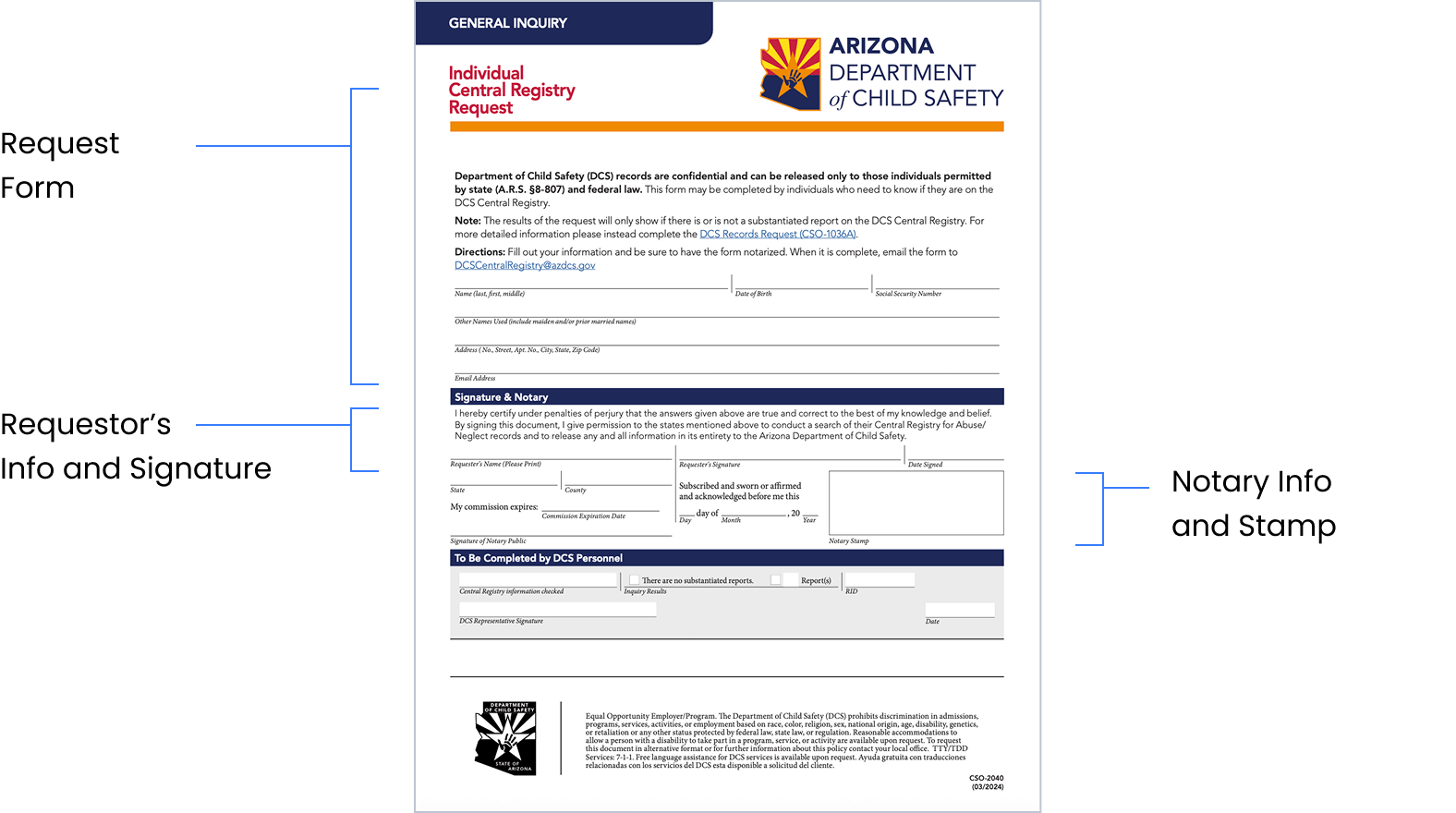
This form is to request a registry check through the Arizona Department of Child Safety (DCS). While waiting for the notary, you will fill out your name, date of birth, Social Security Number, any other names you have used, your address, and your email address. You will then meet with a OneNotary notary to complete the Signature & Notary section. Soar will then submit your form to the DCS and monitor your results.
How does OneNotary work

STEP 1 Enter your email to request a notary service

STEP 2 Fill out the document (except signature)

STEP 3 Complete identity verification

STEP 4 Scan the QR code to verify your ID

STEP 5 Meet a notary and complete the document
Frequently Asked Questions
What information will the DCS share with Soar? 
The DCS will only show whether or not there is a substantiated report on the DCS Central Registry under your name.
What information do I need to provide?
You will need to provide your name, date of birth, Social Security Number, any other names you have used, your address, and your email address.
Do I need to do anything for this process after the OneNotary notarizes my form?
No, our Soar People Operations team will take it from here!
What happens during an online notarization session?
The online notarization session starts when the notary presses the "Start Session" button and you’ll press “Connect” on your side. You and the notary meet virtually in the same session window. The notary confirms your identity and describes the next steps. You fill in the required information and sign the document electronically. After this, the notary attaches a digital notarization seal and, if necessary, a notarization certificate. Once the notarization is complete, the notary closes the session. The notarized document is available to you immediately afterward.
How do I prepare my computer for an online notarization?
To notarize your document online, you need a web browser such as Google Chrome or Safari. To perform an online notarization, both the notary and the signer must have a reliable internet connection, a video camera, a speaker, and a microphone.