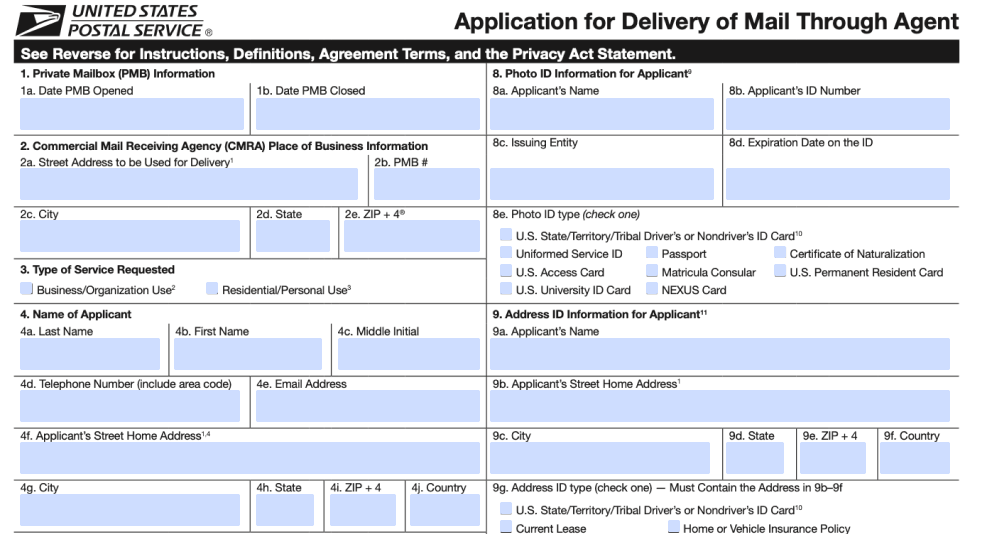
Please provide your email address to begin

Notarize your documents with West Valley Coworking

Online Notarization Step by Step

1.

Enter your email above to request a notary service. Your USPS Form 1583 will be uploaded automatically

2.

Enter your personal details to verify your identity. You’ll need to have a valid ID on hand

3.

Meet a notary online and sign the documents in their presence

4.

The notary will sign the documents and attach a notary seal

5.

Download the notarized documents as soon as the session is complete

Pricing

$ 25 .00

West Valley Coworking USPS 1583 Form Notarization Pricing

Start Notarization

Full Service

The platform provides forms, notarization services, and a digital copy. One platform – one easy to use notarized document

Secure

We use a 2-steps verification process to ensure safety and legitimacy of every notarization

Trusted

All of our notaries are vetted and certified

Convenience

Don’t drive around looking for a notary. Get your documents notarized from the comfort of your home or office.

How does OneNotary work

STEP 1 Enter your email to request a notary service
STEP 2 Verify your identity by providing a Photo ID and an ID with your home address.
STEP 3 Meet a notary online and sign the documents in their presence
STEP 5 Download the notarized documents as soon as the session is complete

How to prepare for an online notarization session?
To ensure a smooth and successful session, please take the following steps: Ensure you have a stable internet connection, a computer or laptop, and a smartphone with a working camera. Submit your notary request to begin the process. You’ll receive a session confirmation via email. Click the link in the email to proceed with preparation. Follow the prompts to upload your document, complete identity verification and credential analysis. Once everything is complete, the notary will join you for the live session.
How do I prepare my computer for an online notarization?
To use the OneNotary platform, you need a web browser such as Google Chrome or Safari. To perform an online notarization, both the notary and the signer must have a reliable internet connection, a video camera, a speaker, and a microphone.
What happens during an online notarization session?
The online notarization session starts when the notary presses the "Start Session" button and you’ll press “Connect” on your side. You and the notary meet virtually in the same session window. The notary confirms your identity and describes the next steps. You fill in the required information and sign the document electronically. After this, the notary attaches a digital notarization seal and, if necessary, a notarization certificate. Once the notarization is complete, the notary closes the session. The notarized document is available to you immediately afterward.
How do I download the notarized document?
Once the notarization session is completed, you will be redirected to the session summary page where you will see the link to download the document. You will also receive an email with a link to download the document. Please note that we only keep your documents for 7 days after the notarization session is completed.
Is Online Notarization Valid?
If your state permits remote online notarization, your notarized documents are just as valid as documents notarized in person. All 50 states allow online notarization.
Is My Personal Information Secure?
At OneNotary, we use secure identity verification and encrypted data storage. Each notarization session is secure and private. We destroy all personal information that we’re not required by law to keep.