Human validation for the workflows that matter most
Nationwide network of 24/7 state-credentialed notary agents with API-first infrastructure







Online Notarization

Fraud Deflection

I-9 & HR Validation

Enterprise-level API
How OneNotary works
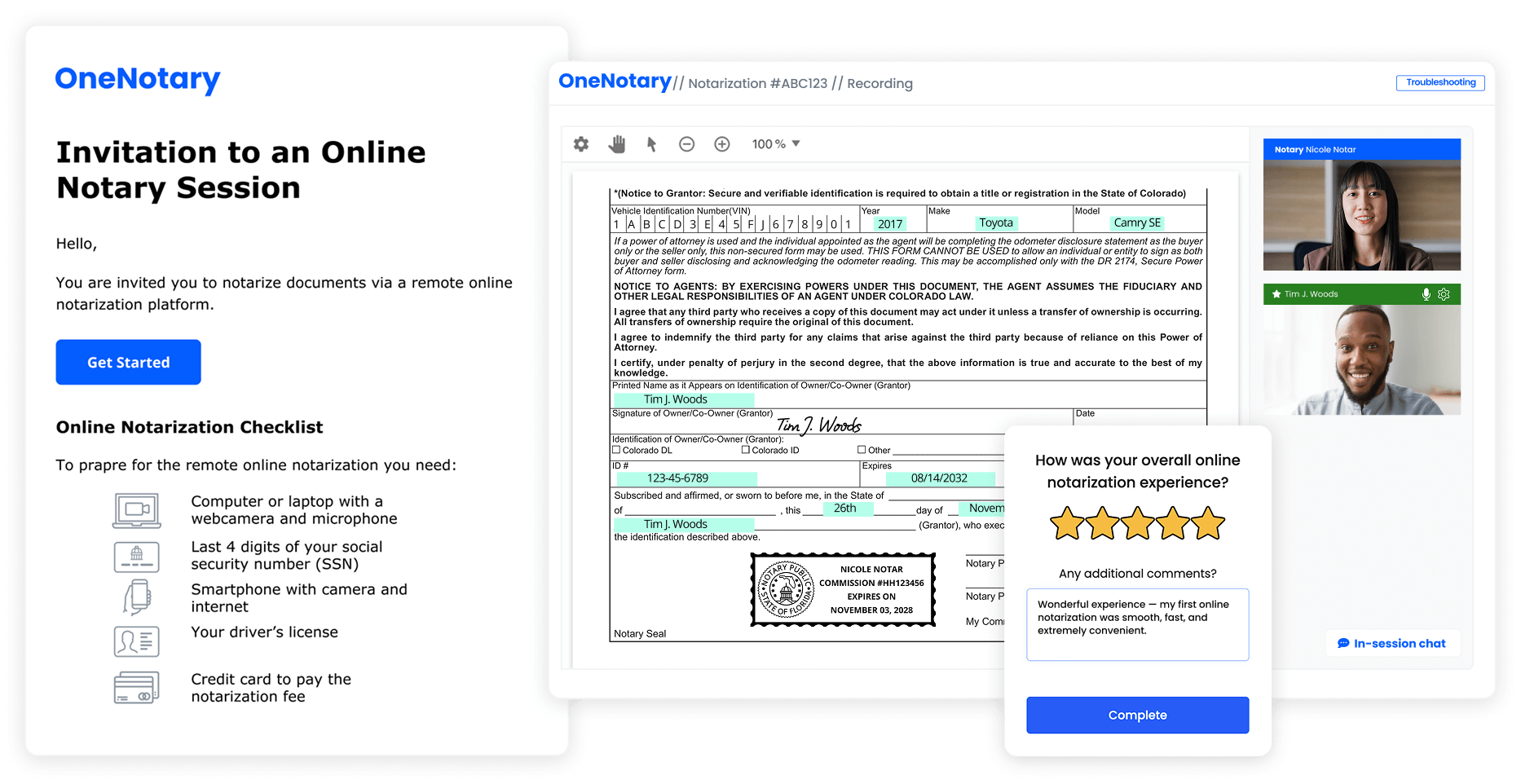
Live notarization and a signed, sealed, audit-ready record without leaving your platform.
Why enterprise teams use OneNotary
Enterprise-grade notarization built for scale, compliance, security, and seamless integration with your existing workflows.
Identity Verification
Biometric ID verification, credential analysis, and KBA
Live Audio & Video
Secure, recorded signer–notary agent communication with audit trail

Electronic Signing
Legally binding eSignatures with guided document completion
Compliance and Certifications
Plug in credentialed notary agents into your product
Ready-to-use, easy integrations for end-users or REST API for developers. Choose the most suitable way to use our fastest human validation platform with your service
Webhooks return the signed PDF, session ID, completion timestamp, IDV/KBA status, recording URL, journal hash, and X.509 metadata straight to your system of record
See what’s possible with OneNotary
Learn how leading organizations delight their clients by streamlining identity, signing, and notarization workflows with OneNotary. We deliver a seamless experience for your customers—every time

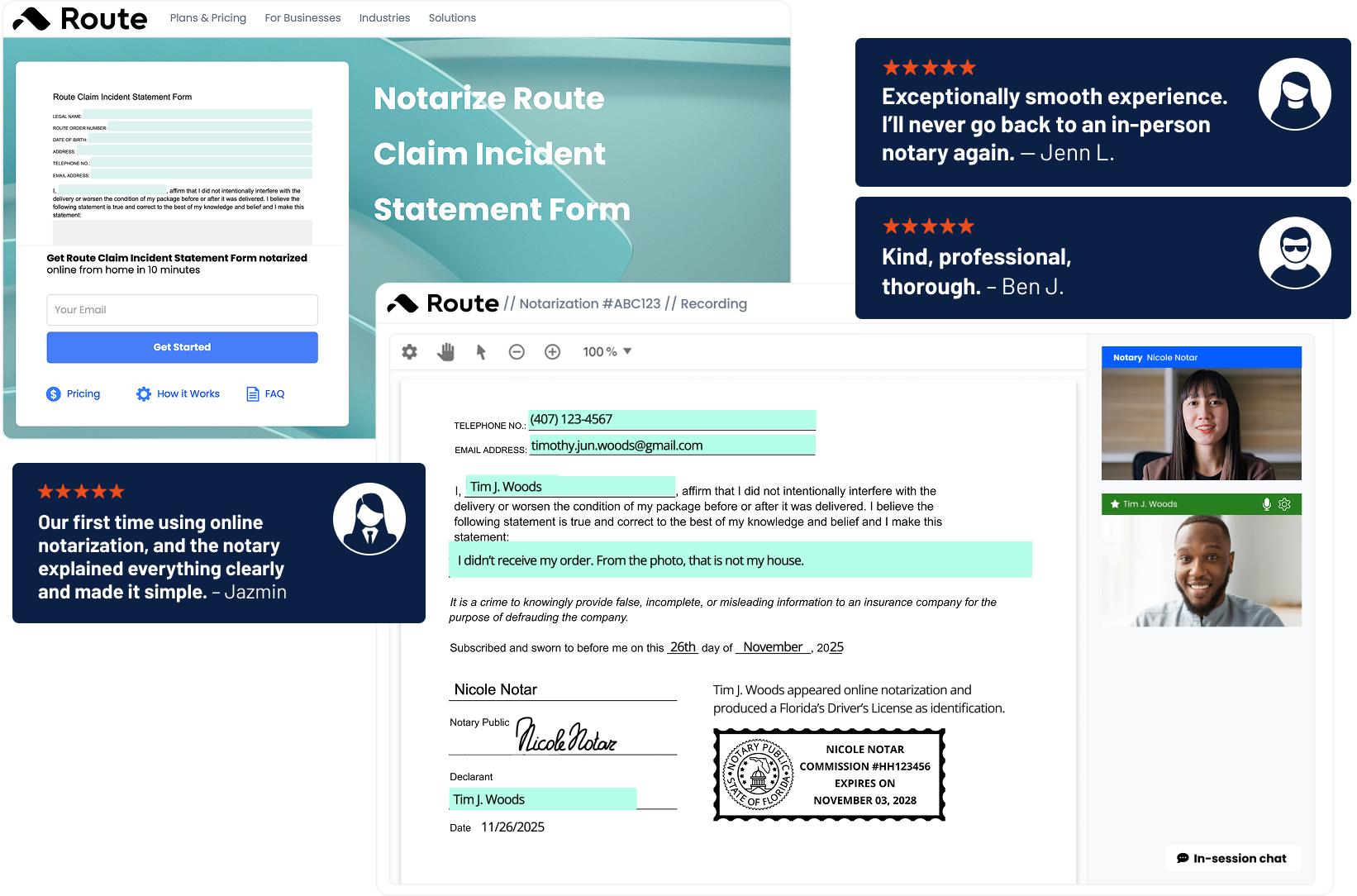
40% reduction in suspicious claims, major lift in CSAT. Route
embedded OneNotary into its
claims workflow, enabling customers to complete their process in minutes

9.26/10 member satisfaction with
a fully digital experience The Credit Union reduced admin overhead and delivered a smooth, compliant, end-to-end experience for members
What People Say
We’re proud to have outstanding reviews from our customers
The process was efficient and quick
All things were clearly explained and the system provided efficient and convenient completion of needed documents.
Super easy to schedule and accomplish
Their app lets me update the fields and sign my pdf document. My company accepted my signed pdf so mission accomplished.

24/7 On-Demand Notaries
Ready to Upgrade Your Notary Process? Contact Our Sales Team & Get 5 Free Notarizations!
Contact Sales
Frequently Asked Questions
With the OneNotary platform, you can notarize any document permitted by your state for online notarization. Each state’s laws are different for notarization. If it’s legal to perform remote notary service on it in your state, you can sign it on OneNotary. You don’t need special equipment, but you must upload an electronic version of your document. We support the most commonly used text and image formats, such as PDF files. The document size should not exceed 35 MB.
To use the OneNotary platform, you need a web browser such as Google Chrome or Safari. To perform an online notarization, both the notary and the signer must have a reliable internet connection, a video camera, a speaker, and a microphone.
OneNotary partners with a 3rd party provider to ensure the signer’s identity. Identity verification requires two steps. First, the signer must answer specific questions that confirm their identity. Second, the signer must photograph the front and back of their driver’s license using a smartphone. The signer then sends these images through an encrypted channel where they undergo a multi-layered identity analysis. Only signers with a confirmed identity can proceed with the online notarization session.
The online notarization session starts when the notary presses the “Start Session” button and you’ll press “Connect” on your side. You and the notary meet virtually in the same session window. The notary confirms your identity and describes the next steps. You fill in the required information and sign the document electronically. After this, the notary attaches a digital notarization seal and, if necessary, a notarization certificate. Once the notarization is complete, the notary closes the session. The notarized document is available to you immediately afterward.
OneNotary partners with industry leaders to provide secure identity verification, payment collection, and encrypted data storage. Every session takes place in a secure virtual environment. All confidential information that we are not required to keep is deleted.
OneNotary has hand-picked notaries with years of experience to ensure the highest standards of service. Online notarization requires notaries to adhere to the laws of the state in which they are commissioned. While each state has its own specific rules, notaries universally must verify the signer’s ID, confirm that the signer is signing of their own free will, and ensure that the signer understands what they are signing. When you create a session with OneNotary, OneNotary’s system automatically ensures that the appropriate notary, meeting the specific requirements of your document, is selected to complete the session. By adhering to these core principles and utilizing OneNotary’s system, OneNotary ensures that every notarization is conducted properly and in accordance with state-specific regulations. You can rest assured that your documentation will be handled with the utmost care and legal compliance.
On the OneNotary website, you can register a profile, log in, and schedule a notarization session. Press the “New Request” button. An available notary will be assigned to your request automatically. Use the confirmation email to get prepared for the notarization session and meet your notary online.
First, you’ll schedule an appointment with an available notary on the OneNotary website. After the invitation to an online notarization session is sent to the signer, the signer has to go through the pre-signing steps: open an email with the invitation; upload a document; complete identity verification, and credential analysis; submit payment details. When the signer is ready for the notarization session, the notary will invite the signer to connect.
The cost for remote online notarization of a single document with one notary seal is $25 USD. Before beginning the online notarization session, you must enter your credit card details. OneNotary pre-authorizes the credit card. The payment goes through once the notarization is successfully completed and the notarized documents become available in your profile.
Once the notarization session is completed, you will be redirected to the session summary page where you will see the link to download the document. You will also receive an email with a link to download the document. Please note that we only keep your documents for 7 days after the notarization session is completed.
OneNotary takes ID verification extremely seriously. The process includes several steps to verify identification, including partnering with and incorporating advanced technologies to ensure transactions are completed on the platform with confidence. OneNotary’s AI-powered ID Verification allows businesses to establish the genuine identity of their users by verifying government-issued IDs in real time, automatically. Sophisticated technologies detect manipulations of ID images, content (name, address, date of birth, etc.) and face photo replacements. There is a three-step process to ensure the ID produced by the signer on OneNotary’s platform is authentic. During acquisition, OneNotary captures the front and back of ID documents using cutting-edge technologies to get best possible image quality. In the extraction step, data is automatically extracted from ID documents to definitely assess their authenticity. For verification, computer vision, machine learning, and AI are used together to verify the ID in real time. Additionally, OneNotary implements a robust three-step verification process involving Knowledge-Based Authentication (KBA), Credential Analysis, and notary verification. OneNotary believes we provide the most advanced solution to identifying someone in the world with confidence.
 Notarize without Account
 Create a Free Account